AI BBQ Platter Photography for Delivery Menus
A BBQ platter is the best-looking asset on a smokehouse menu and the one Uber Eats will not accept, because its item photos must show a single item. Here is how to shoot both.
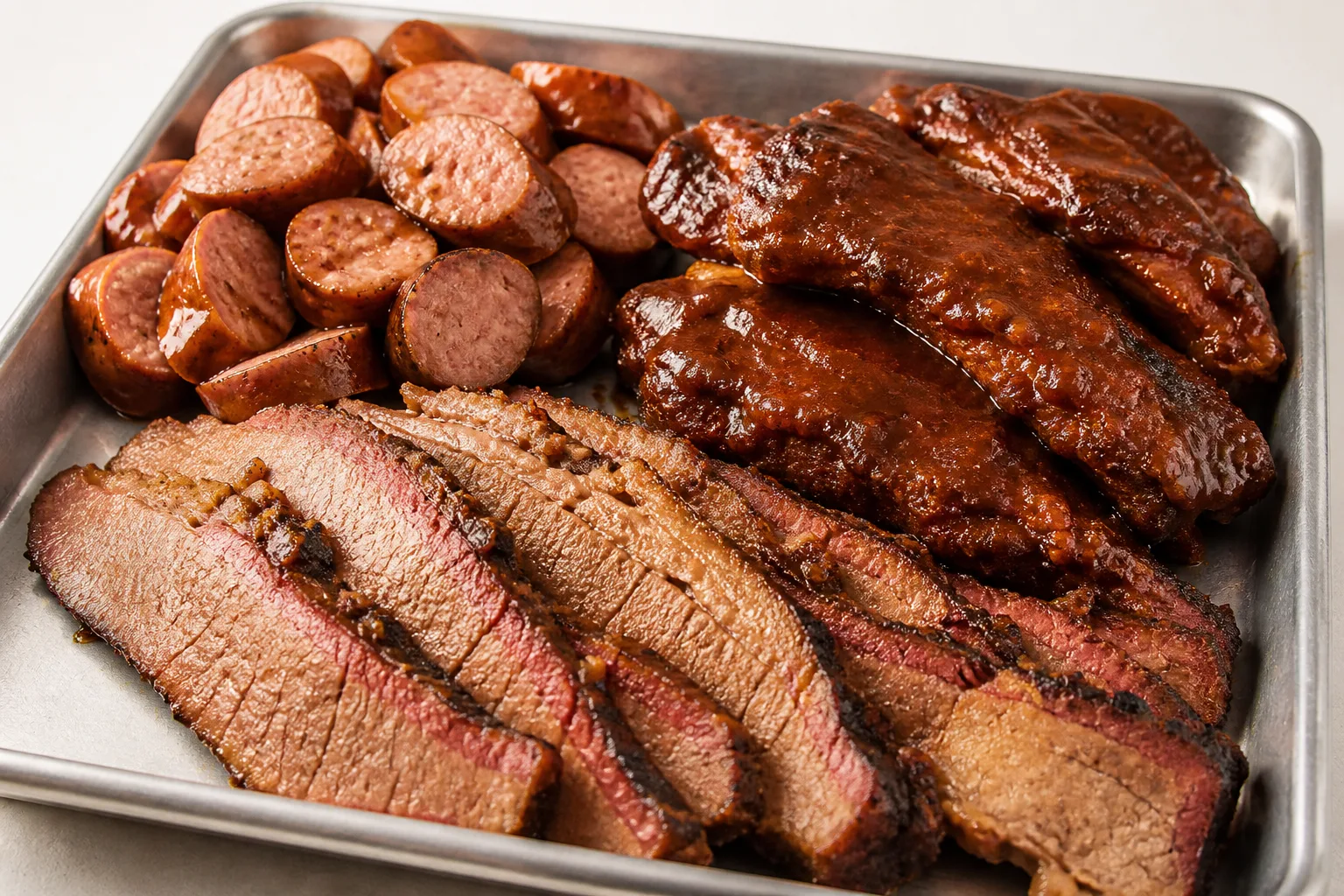
Every smokehouse leads with the platter, and they are right to: brisket, ribs and sausage laid out in rows is the most persuasive image on the menu. It is also the one image that cannot be uploaded to all three platforms, and the reason is not the crop.
The single-item rule is the whole problem
Uber Eats item photos must show a single item. A BBQ platter is, definitionally, several. DoorDash and Grubhub have no equivalent restriction, so the same file is fine on two platforms and rejected on the third.
There is no compositional trick that resolves this. A platter shot tighter is still a platter. The answer is that a BBQ menu needs two sets of photos:
- The platter, for DoorDash and Grubhub, where multiple items are allowed and the abundance is the selling point.
- Single-meat shots — brisket alone, ribs alone, sausage alone — for Uber Eats, and for the individual line items that exist on every BBQ menu anyway.
That second set is not wasted work. Most of a BBQ menu is sold by the pound as individual meats, and those line items need their own photos regardless.
What each platform's crop does to a platter
The item specs below are the platforms' own, checked against their published pages on 2026-08-15 (source list in our DoorDash photo requirements guide).
| Platform | Item ratio | What a platter loses |
|---|---|---|
| DoorDash | 16:9 landscape only | Nothing — a wide tray fills a wide frame |
| DoorDash thumbnail | centre-cropped to 1:1 | The outer rows, which is usually a whole meat |
| Uber Eats | 5:4 to 6:4 | Not applicable — the platter is rejected on content, not ratio |
| Grubhub | 4:3 | Nothing |
| Grubhub desktop header | cropped to 4:1 | Almost nothing — this is the best 4:1 subject on any menu |
That last row is worth acting on. Most dishes need a second, deliberately horizontal shot for Grubhub's 4:1 desktop header. A BBQ platter already is one: rows of meat laid side by side survive a band four times wider than it is tall better than anything else you sell. If you have a header slot to fill, this is the dish for it.
The square thumbnail is the opposite. A wide tray centre-cropped to 1:1 keeps the middle two meats and drops the ends. Arrange the rows in a block rather than a line — two rows of two rather than four across — and the square crop holds all of it.
Smoke ring, bark, and why even light ruins both
The two things a BBQ photograph has to carry are the bark on the outside and the smoke ring just under it. Both are contrast features in a narrow tonal band, and both disappear under the flat, bright, even light that delivery-platform product photography tends toward.
Light it from one side, low, so the bark's texture casts its own micro-shadows. Slice the brisket right before shooting: the smoke ring oxidises and fades within minutes of the cut face being exposed.
The shot
Shoot one master at 4:3, at least 2400 × 1800 px, meats blocked rather than lined up, one low side light, on a plain unprinted tray. Then shoot each meat alone for Uber Eats and for the by-the-pound line items.
See how MenuFactory works — the platter and the single-meat shots come out of the same source photos, which is what makes running two photo sets practical instead of theoretical.