AI Fried Chicken Photography for Delivery Menus
Crust texture is the entire product, and fine texture is the first thing a 2 MB file-size cap destroys. Fried chicken is the dish where compression, not cropping, is the enemy.
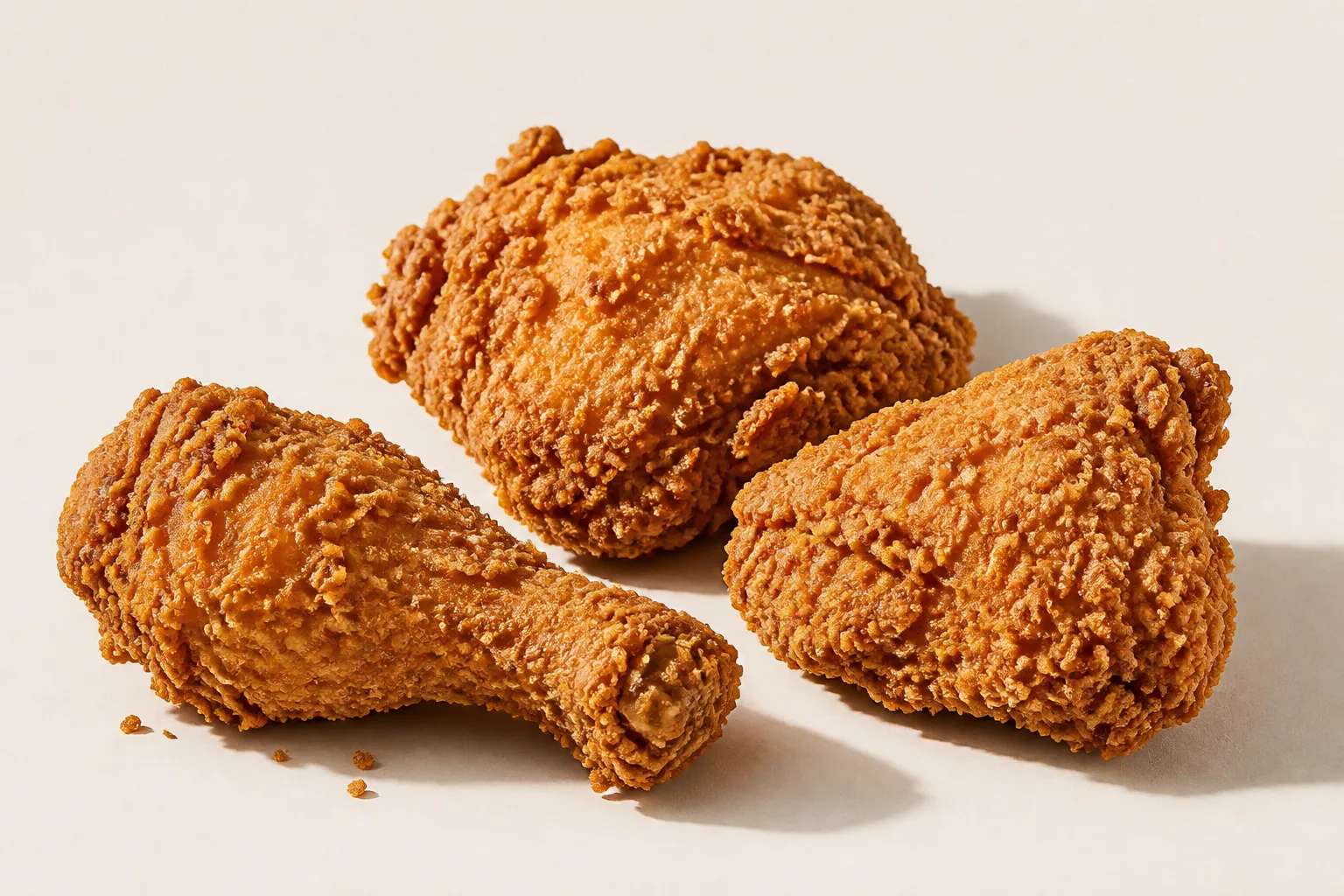
Fried chicken crops easily. A few pieces arranged on a board is a wide, low subject that fits every ratio the platforms ask for. Its problem happens after the crop, in the part of the pipeline most menu photography never thinks about: the file size cap.
Fine texture is the first thing compression throws away
DoorDash publishes a maximum file size for menu item photos of 2 MB, and its own help pages carry a second, larger number elsewhere without saying which governs an upload (we documented that contradiction in our DoorDash photo requirements guide). Whatever the ceiling, the platforms re-encode what you send, and lossy image compression works by discarding high-frequency detail first.
| Platform | Item ratio | What fried chicken loses |
|---|---|---|
| DoorDash | 16:9 landscape only | Nothing — pieces spread out fill a wide frame |
| DoorDash thumbnail | centre-cropped to 1:1 | The outer pieces, reading as a smaller portion |
| Uber Eats | 5:4 to 6:4 | Little at 6:4 |
| Grubhub | 4:3 | Nothing |
| Grubhub desktop header | cropped to 4:1 | Little — a row of pieces is a natural horizontal band |
High-frequency detail is exactly what a fried chicken crust is. The craggy, irregular, small-scale texture that distinguishes a good piece from a soggy one is, to a compressor, noise — and it is the first thing to go. A photograph that looks perfectly crisp at full size can arrive on the platform looking like a smooth brown lump.
Three things help, in order of effect:
- Fill the frame with fewer pieces. Three pieces large in frame have more pixels per square inch of crust than eight pieces small. Compression damage is proportional to how small the detail is in the file, not how detailed the food was.
- Give the texture contrast to survive on. Raking side light turns each ridge into a small light-and-shadow pair. Compression preserves edges with real contrast far better than it preserves low-contrast micro-variation.
- Keep the background genuinely plain. Every bit spent encoding a textured wooden table or a patterned cloth is a bit not spent on the crust.
What each platform's crop does to a plate of fried chicken
The item specs below are the platforms' own, checked against their published pages on 2026-08-15 (source list in our DoorDash photo requirements guide).
As with wings, the square thumbnail is the only crop that costs anything, and heaping rather than spreading fixes it. Unlike wings, heaping fights the texture goal: pieces piled on each other shadow one another and lose the raking light that the crust depends on. Two rows of two, slightly separated, is the compromise that holds both.
Overhead is the wrong angle here, unambiguously
Light from directly above a craggy surface fills its own shadows, and a crust without shadows is a flat brown shape. This is the one dish on the menu where the platforms' preference for bright, even product lighting is actively destructive.
Low, from one side, close enough that the falloff across the piece is visible. If you can see the individual ridges casting shadows onto the ridge behind them, the light is right.
The shot
Shoot one master at 4:3, at least 2400 × 1800 px, three or four pieces filling the frame, one low raking side light, plain untextured surface. Export at the largest file size the platform accepts rather than the smallest that looks acceptable on your monitor.
See how MenuFactory works — the crust is what the AI is instructed never to alter; what it changes is the light falling across it, which is the half that decides whether the texture survives the upload.